Create an editable flowchart from a description of your steps and decisions, then refine it in conversation. Include both successful and unsuccessful paths so the diagram explains what happens next.
Describe the decisions, not just the steps
Give each decision a question that can be answered. “Approved?” is clearer than “Approval” because the outgoing arrows can say “Yes” and “Changes requested.” Name the person or condition that makes the decision when it affects the route.
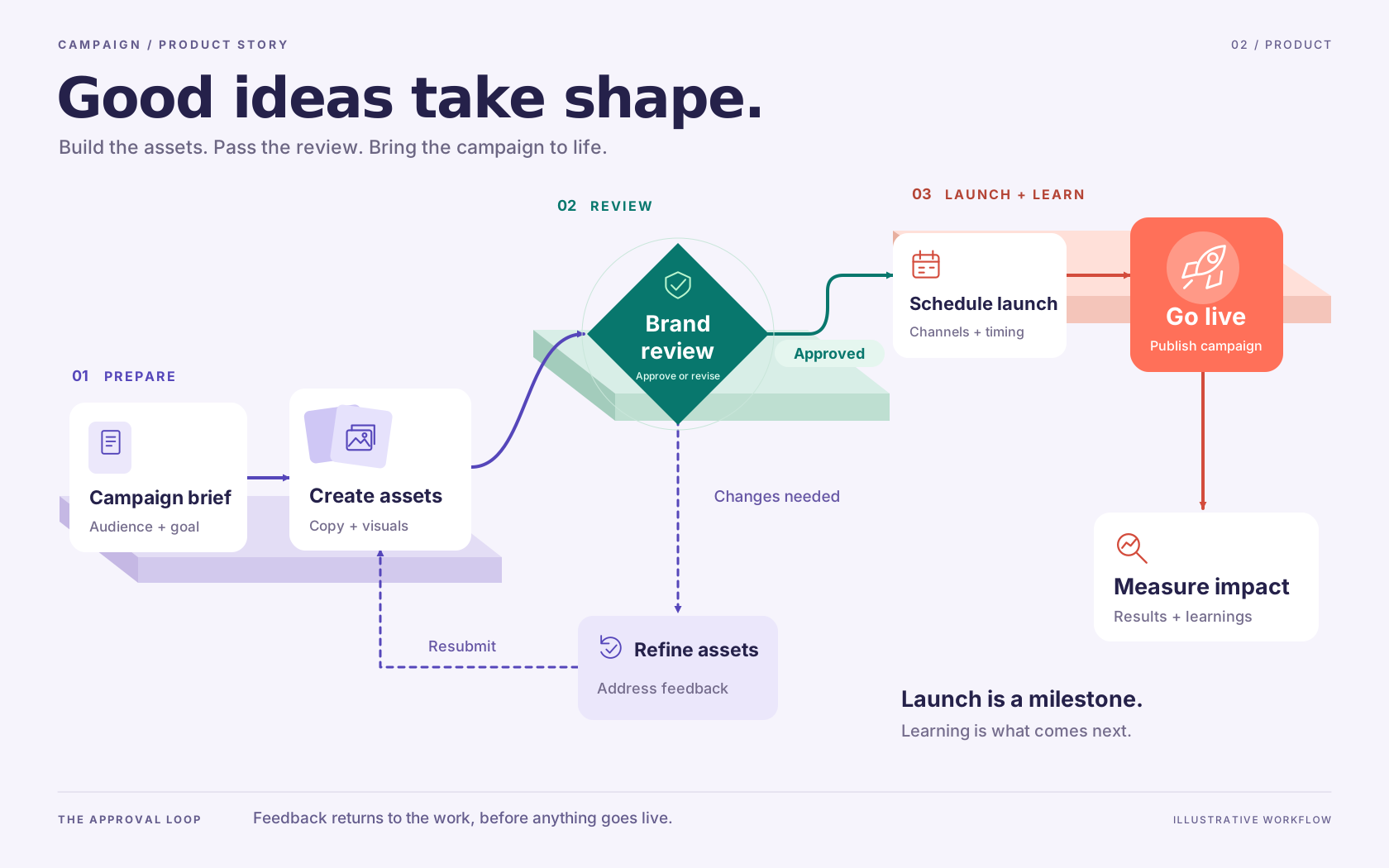
In the campaign example, a revision is an activity with an output: updated assets. The next arrow returns to the work that must be reviewed again. It should not jump directly to launch. Ask the agent to explain an uncertain branch before treating the drawing as a process specification.
Check the route that fails
Trace one successful case and one unsuccessful case from start to finish. Look for decisions with only one exit, activities with no next step and loops with no way to finish. If a request can be rejected permanently, give rejection its own outcome rather than leaving it in an endless revision loop.
For responsibility across teams, use a swimlane diagram. For the inputs and deliverables of a business activity, see process maps.
Refine a branch in conversation
Try “Add legal review after brand approval, and return failed legal checks to the asset owner.” Review the revised paths before changing the visual style. Then shorten labels, align related steps and export the saved version that represents the agreed process.
The approval workflow example shows why a revision step needs an explicit resubmission path.
Make it about your work
Edit this starting prompt, then send it when you are ready.