Turn a clear screenshot or photo into an editable diagram by describing what to preserve. Review interpreted labels and arrows against the original; image input does not guarantee exact pixel reproduction.
What image files can I upload, and how large can they be?
Free accounts support 10 MB per file and 3 attachments per message; Starter supports 20 MB and 5 attachments; PRO supports 25 MB and 10 attachments. Storage limits also apply. See pricing for plan details. Use PNG, JPEG or WebP for image input. A guest trial can start with one image.
Prepare a readable source
Use a clear PNG, JPEG or WebP image with the complete diagram in view. Crop unrelated interface elements without removing labels at the edges. A straight, well-lit whiteboard photo is easier to interpret than a small image with glare or perspective distortion.
Tell the agent what you want to preserve: the structure, the wording, the layout or all three. If only one area matters, identify it in the message. Guest trials can begin with one image; account limits apply to larger requests.
Review the interpretation
Check labels and arrow directions against the original. Pay particular attention to crossing lines, faint arrowheads and handwritten words. A line that passes behind a shape can look like a connection when it is not. Ask for clarification instead of accepting a guessed relationship.
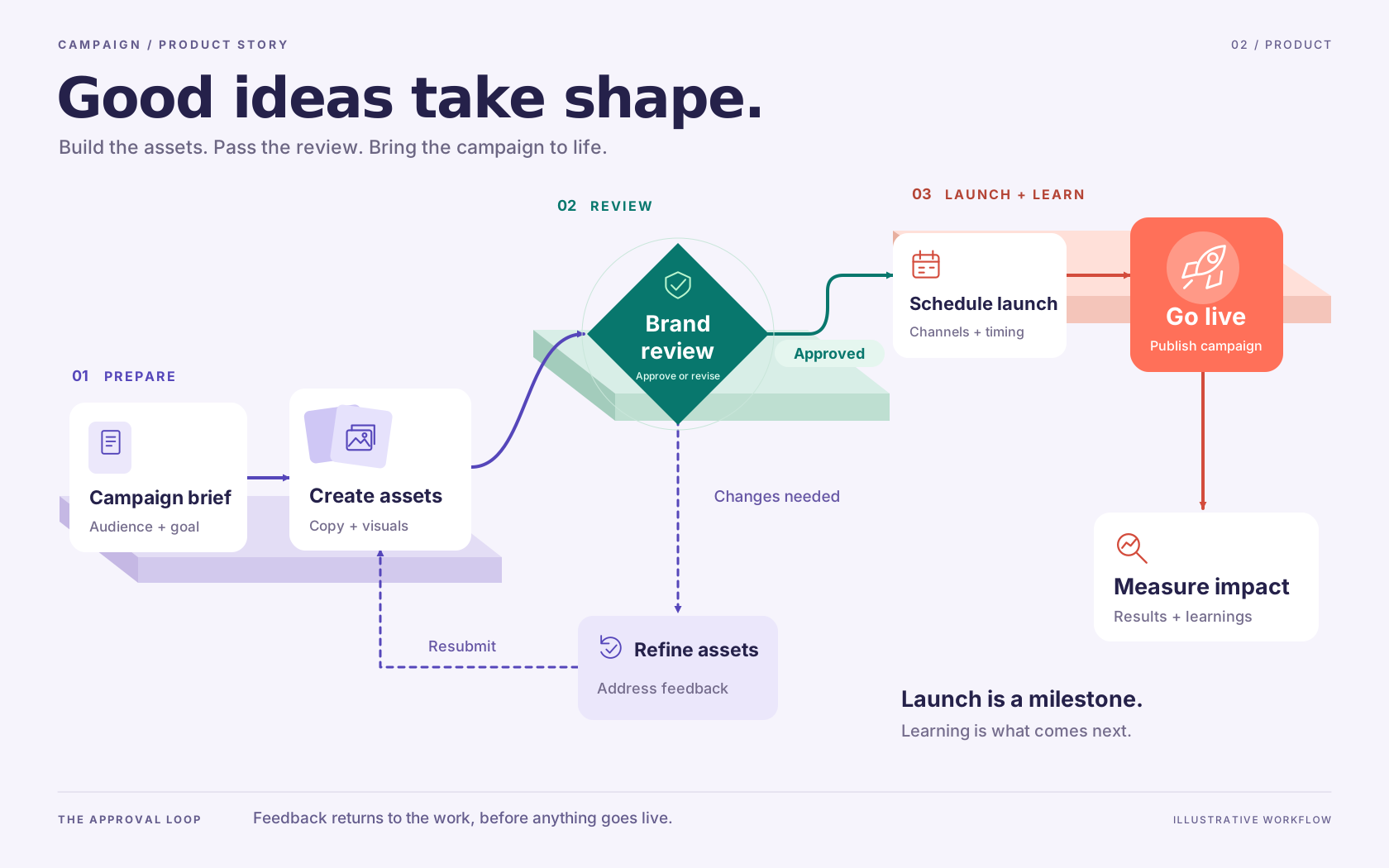
The approval workflow illustration on this page is a prepared example, not a live image conversion. Its revision path makes a useful check: requested changes must return to asset work and then review.
Choose interpretation or source import
A screenshot and an editable source file contain different information. If you have a supported Mermaid, draw.io or Excalidraw source, importing it can preserve structure that an image cannot expose directly. Neither path guarantees that every tool-specific feature transfers unchanged.
For material spread across document pages, see PDF to diagram. For choosing a format after interpretation, visit diagram types.
Make it about your work
Edit this starting prompt, then send it when you are ready.